
The problem
DeepSeek prices its API by the clock: peak hours cost exactly double. The API doesn't tell you which rate you're on, and your real spend only lives on the console's usage page. If you run long jobs, timing them matters, and you shouldn't have to open a dashboard to know.
What it does
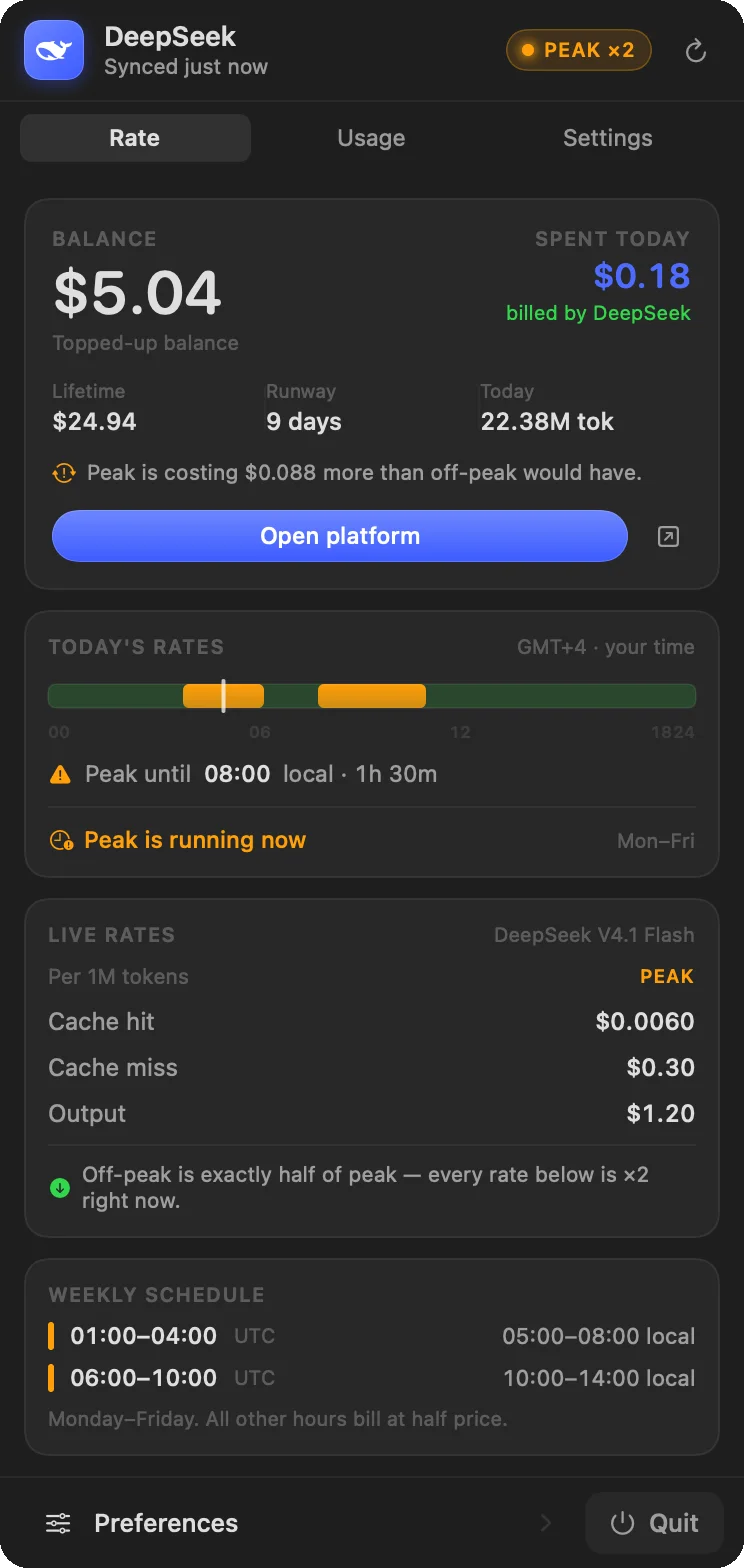
- Knows the rate. Peak is 01:00–04:00 and 06:00–10:00 UTC, Monday to Friday, and off-peak is exactly half. The panel draws your day as a timeline in your own time zone and counts down to the next change.
- Shows real spend. Once connected, it reads DeepSeek's own billed figures: cost per day, request counts, the token split and lifetime spend.
- Tracks cache hits. Cached input is 50 times cheaper than uncached input, so today's cache-hit rate sits next to the spend.
- Warns you. An optional notification when the rate flips, so a long job can wait twenty minutes and cost half as much.
How it's built
It's a single Swift app with no dependencies: no packages and no Xcode project, just swiftc and a handful of files. The whale in the menu bar is traced from the official logo into a SwiftUI path, so it stays sharp at 16 points.
Reading billed figures needs one interactive sign-in, because the usage endpoint sits behind a bot challenge that plain HTTP clients can't pass. After that, requests are made from inside the app's own window, and the token needs renewing every few days. Everything is read-only. There is no telemetry, and it makes no network requests anywhere except DeepSeek.
Get it
- Download the latest release, or install with Homebrew:
brew install --cask https://github.com/andreiteodor97/deepseekbar/raw/main/Casks/DeepSeekBar.rb- Read the code on GitHub. It's MIT licensed and built by CI.